Guida a Myloc8

Informazioni generali
These operating instructions are for the Myloc8 tracker, which will simply be referred to as ‘tracker’ in the following. They contain important information regarding set-up and operation. Before using the tracker, please read the operating instructions carefully. This particularly applies to the safety notes. Failure to adhere to these operating instructions may result in severe injury or damage to the tracker.
The operating instructions are based on the standards and rules in force in the European Union. When abroad, you must also observe country-specific guidelines and laws. Keep the operating instructions for future use. If you pass the tracker on to third parties, please be absolutely sure, to include these operating instructions.
Configurazione iniziale
Installazione e ricarica della batteria
Quando estrai il tracker dalla confezione per la prima volta, la batteria è scarica. Ricaricala come segue:
- Collega la spina del cavo di ricarica al tracker tramite la porta Micro USB.
- Collega l'altra estremità del cavo di ricarica all'adattatore USB e poi alla presa di corrente. In alternativa, puoi anche collegare il cavo di ricarica a un computer.
- Ricarica il tracker per 2 ore.
- Durante la ricarica, la spia rossa lampeggerà. Quando il localizzatore è completamente carico, la spia resterà accesa fissa di colore rosso
- Scollega il tracker dal cavo di ricarica.
Come accendere il localizzatore
- Porta il localizzatore fuori, in modo che sia all’aria aperta.
- Controlla che il localizzatore sia acceso tenendo premuto il pulsante ON/OFF. La spia rossa lampeggerà.
- Appoggia il localizzatore e lascialo lì per almeno 15 minuti. In questo modo il localizzatore potrà effettuare il posizionamento GPS iniziale, necessario per il corretto funzionamento del dispositivo.
Una volta completata la configurazione, il localizzatore sarà pronto per l’uso e potrà essere attivato.
Nota bene: questa procedura va eseguita solo la prima volta che accendi il localizzatore.
Come attivare il tracker via web
- Apri il browser e vai su myloc8.com
- Registrati e crea il tuo account Myloc8, poi aspetta l'email di attivazione da Myloc8, clicca sul link di conferma e infine accedi.
- Clicca su “Aggiungi tracker” e segui le istruzioni sullo schermo.
- Inserisci l'IMEI e l'ID del dispositivo del tuo localizzatore e segui le istruzioni per attivare il tuo piano di servizio.
Come attivare il localizzatore tramite l'app
- Scarica l'app Myloc8 dall'Apple Store o da Google Play.
- Registrati o accedi al tuo account Myloc8.
- Tocca l'icona "+" per aggiungere il dispositivo e segui le istruzioni di attivazione.
Notifica
Low battery
When the battery percentage drops to 10%, an alert will be triggered using all the chosen communication methods. The user's specified phone number or email will receive the location details along with a text message.
Zone entry / Zone exit
A geofence is a virtual boundary that can be customized by the user. Whenever the tracker crosses the boundary, whether exiting or entering the defined area, the user will receive a notification within the app. Additionally, the user's specified phone number or email will receive the location information along with a text message.
Please take note that there is a cooldown period of 5 minutes between two consecutive alerts.
SOS key pressed
When the user holds down the SOS button for a minimum of 2 seconds, both the location information and a text message will be sent to the phone number or email address that they have previously provided.
Speed limit
Once the user sets a speed limit for the device, they will receive an app notification whenever the tracker exceeds the designated speed. In such cases, the user will also receive the location information and a text message sent to the phone number or email address they have provided.
Please be aware that there is a cooldown period of 5 minutes between consecutive alerts.
Start moving
Once the tracker begins to move, the user will be notified within the app. Furthermore, the location information and a text message will be sent to the phone number or email address that the user has provided.
Please note that there is a cooldown period of 5 minutes between two consecutive alerts.
Right / Left button
By pressing either of the two buttons, the user can send a message to the phone number or email address they have provided. The default text message will be "Left button pressed" or "Right button pressed," but the user has the option to customize the message for each button according to their preference.
Furthermore, the location information along with the customized text message will be sent to the provided phone number or email address.
Please note that there is a cooldown period of 5 minutes between two consecutive alerts.
Power ON / OFF
When the device is fully charged and powered on, a notification will be triggered to inform the user about the device being turned on. Similarly, when the device is shut down, a message will be sent to the user to notify them of the shutdown.
Confezione
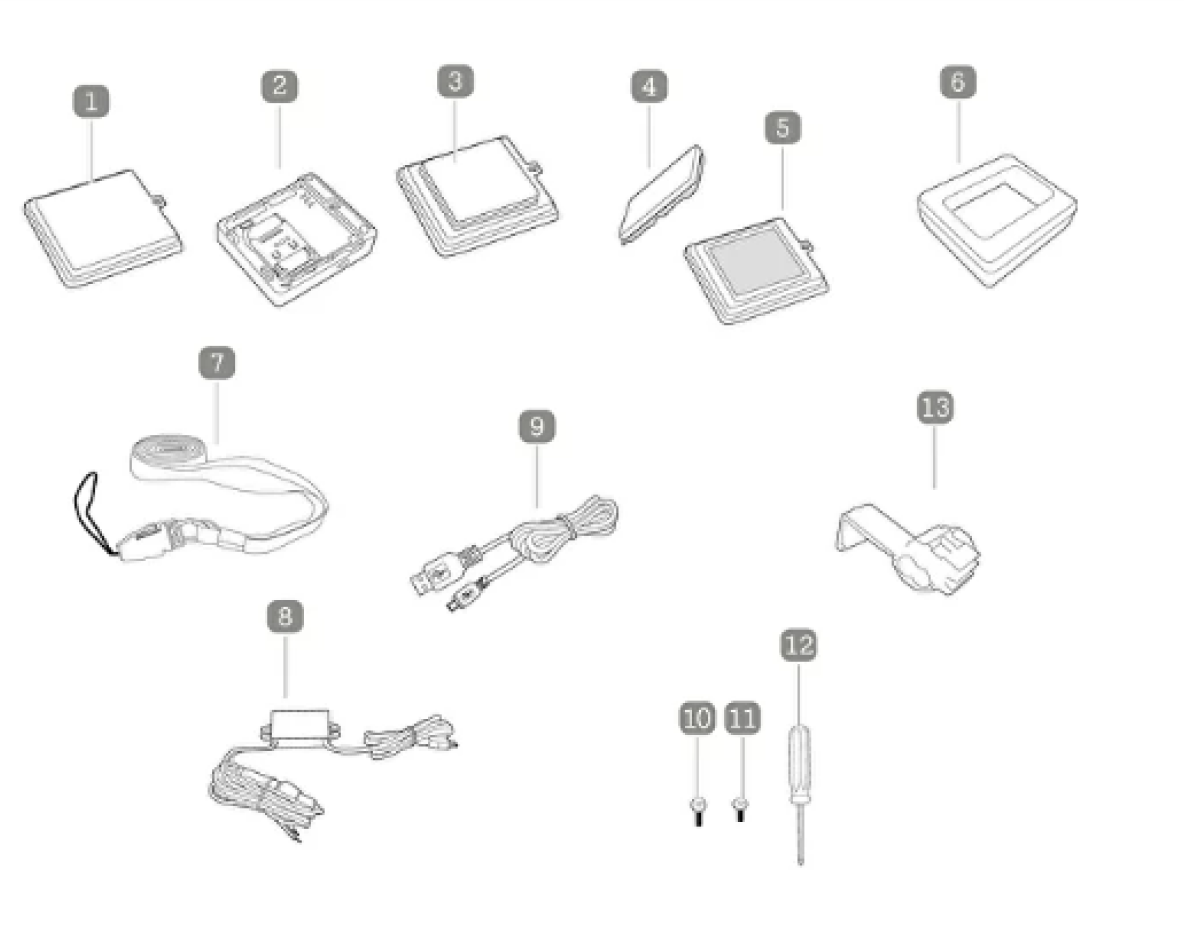
1. Battery cover with clipper
2. Sim Card
3. Battery
4. Magnet
5. Battery cover Velcro fastener
6. Water repelling silicone case
7. Lanyard with clip
8. USB Car adaptor
9. USB charging Cable
10. Screws for the battery cover clopper
11. Screws for the battery Velcro fastener
12. Screwdriver
13. Clip
Pulsanti
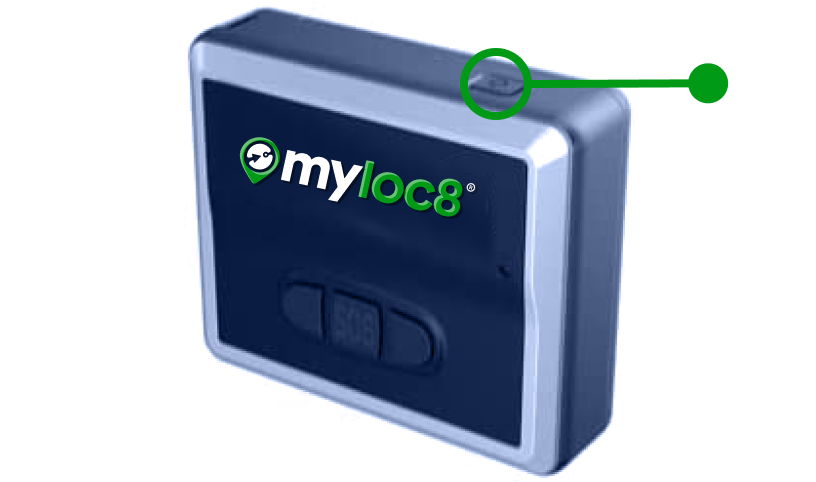
ON / OFF button
Press and hold the ON/OFF button to turn the tracker ON or OFF. Briefly press the ON/OFF button once to check whether the tracker is on.
Please note: If the green light flashes, the tracker is ON. If no light comes on, the tracker is OFF.
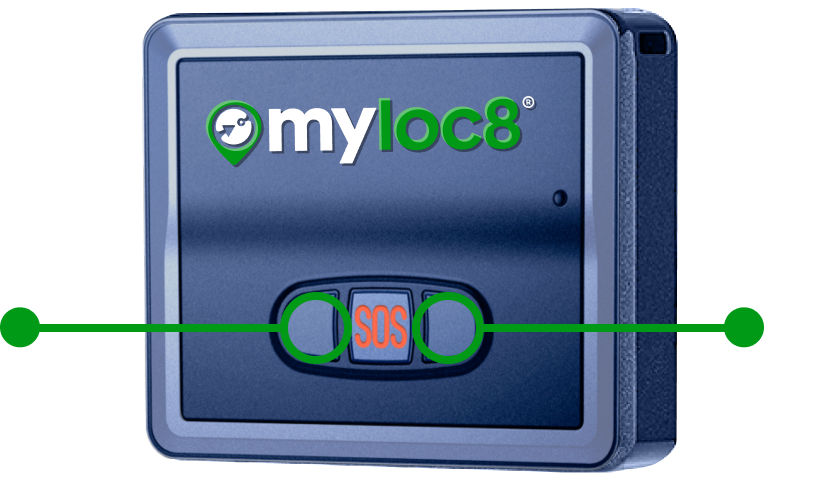
Left / Right
If you press on of the two buttons, you can send a message to the telephone number or e-mail address you have provided. It shows the following text message: “Left button pressed” or “Right button pressed”
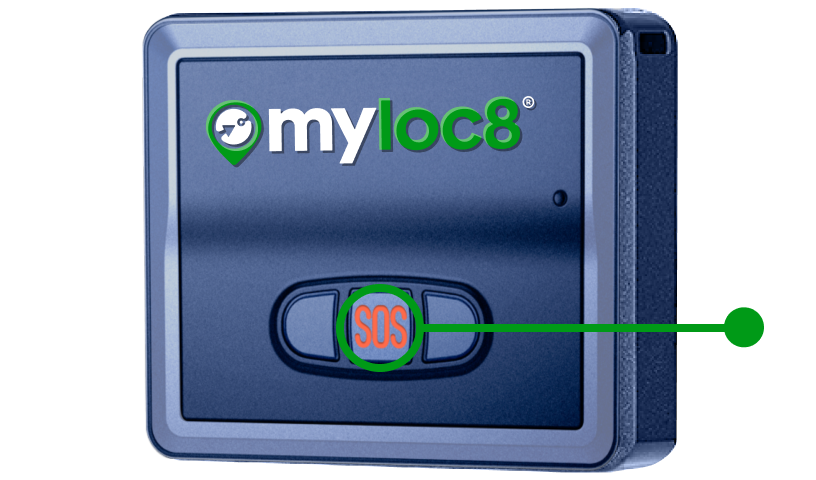
SOS button
If you press the SOS button for at least 2 seconds, the location and a text message will be sent to the telephone number or e-mail you have provided.
Luci

Device is starting up
Long press on power button

Device is powering off
Long press on power button
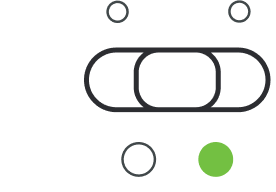
Device is online
Single press on power button

Device is on but offline
Single press on power button

Activate SOS mode
Long press

Low battery

Battery is charging
Connect to power